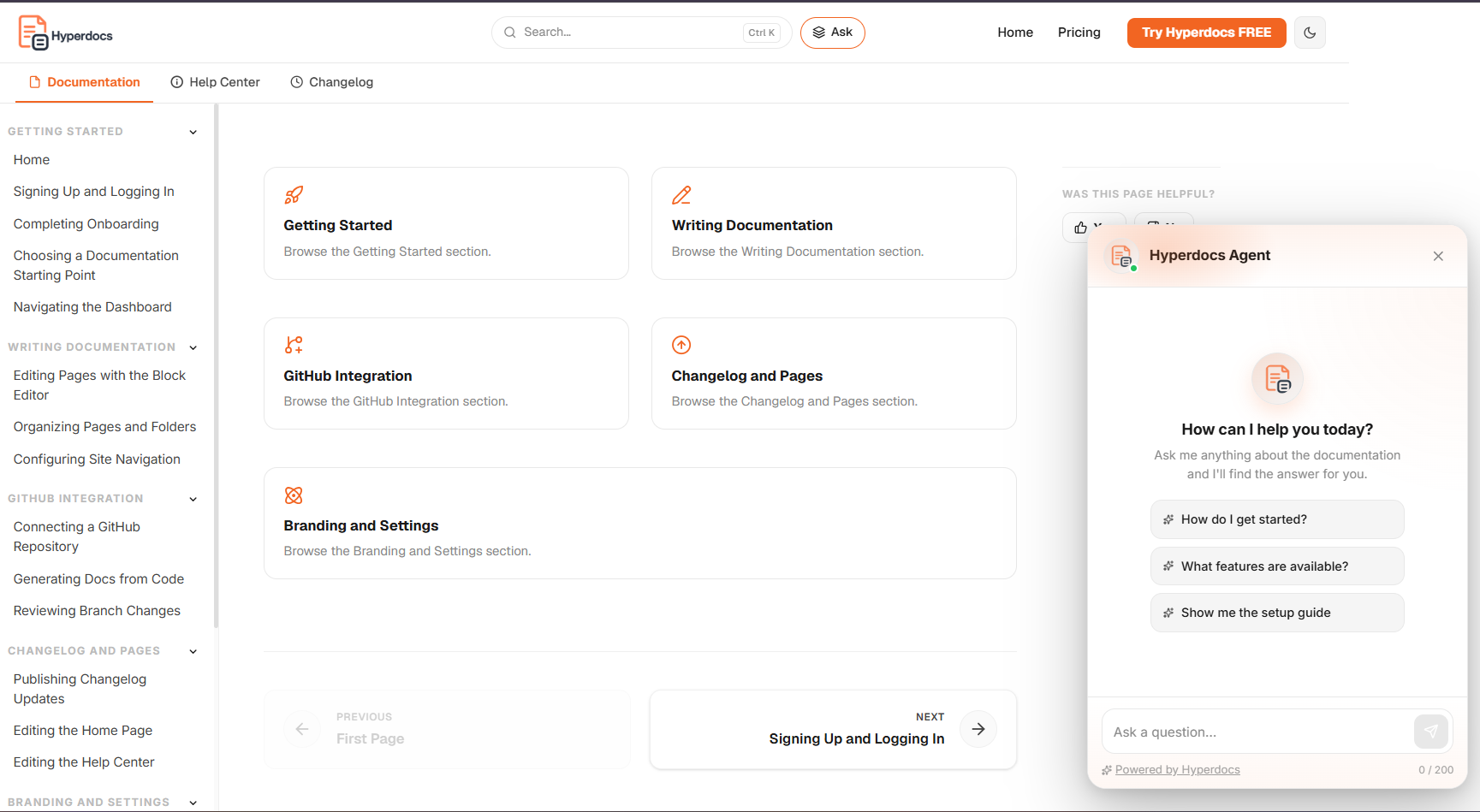
Give users answers wherever they need help.
Answer Agent lets people ask questions on your docs site, public website, or inside your product. It responds using your published Hyperdocs documentation and offers a clear route to support when the docs do not cover a question.
From a question to an answer from your docs
Users ask from your docs site, website, or product. Answer Agent uses the documentation you publish to help them take the next step.
User asks a question
A user asks in the widget on your docs site, website, or inside your SaaS product.
Answer Agent searches your docs
Answer Agent finds relevant content in your published Hyperdocs documentation to inform its response.
The user gets an answer
Answer Agent responds using your published docs. If it cannot find a relevant answer, your configured message can point the user to a contact email or link.
User gives feedback
Enable feedback so users can rate answers and your team can see which topics need clearer documentation.
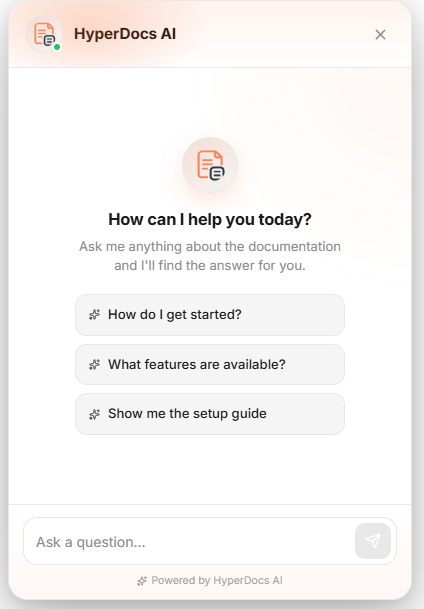
Useful answers. Your brand. Your published docs.
Give customers a way to ask questions, match the widget to your brand, and use their feedback to improve your documentation.
Answers from your published docs
Your published Hyperdocs content provides the source for answers. Keep guides, help articles, API references, and release notes current in one place.
Help in the flow of work
Let users ask while browsing your website or working in your product. Give routine questions a place to go before customers open a support request.
Fully customizable widget
Set your logo, agent name, and accent color so the widget feels familiar wherever customers use it.
A clear route to support
Configure the message, contact email, or link shown when Answer Agent cannot find a relevant answer in your docs.
Feedback you can act on
Enable answer ratings and review feedback to find missing explanations or questions your documentation could cover better.
Embed where people need help
Use Answer Agent on your published docs, public website, or inside your SaaS product. The website and product embeds each have their own key and allowed domains.
Embed Answer Agent on your website or in your product.
Use the same published documentation to help readers, website visitors, and customers working in your app.
On your docs site
Let readers ask a question while following a guide or browsing the help center.
On your website
Choose a chat bubble or floating search bar for your public website.
Website setup guide ↗Inside your product
Add a chat bubble so customers can ask for help while they work in your SaaS app.
Product setup guide ↗A question away from the next step.
The floating search bar opens a conversation above the page. Visitors can ask about your product and get answers drawn from your published Hyperdocs content.
Set up the website widget ↗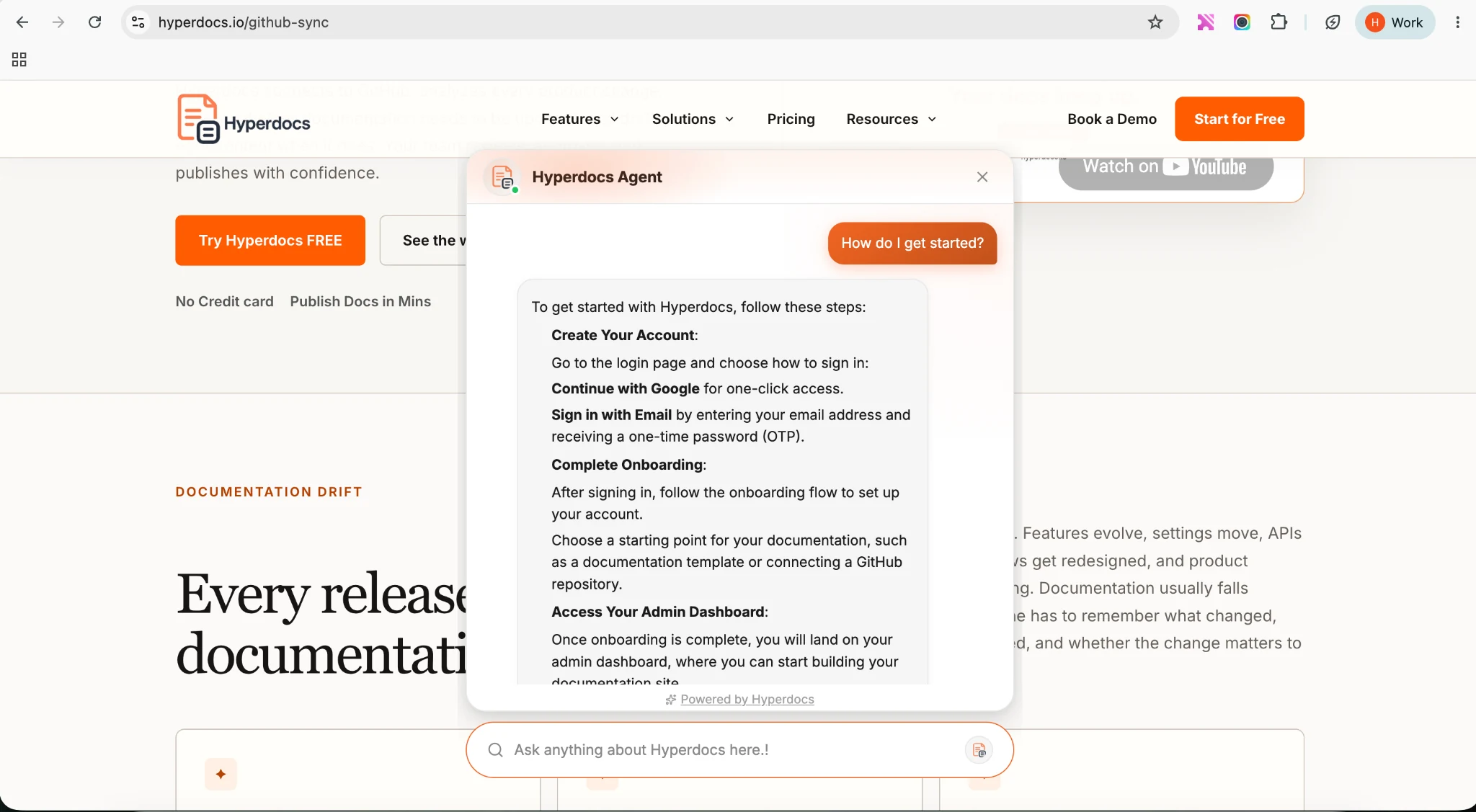
Make Answer Agent feel like your product.
Choose the name, appearance, feedback settings, and fallback message your customers will see.
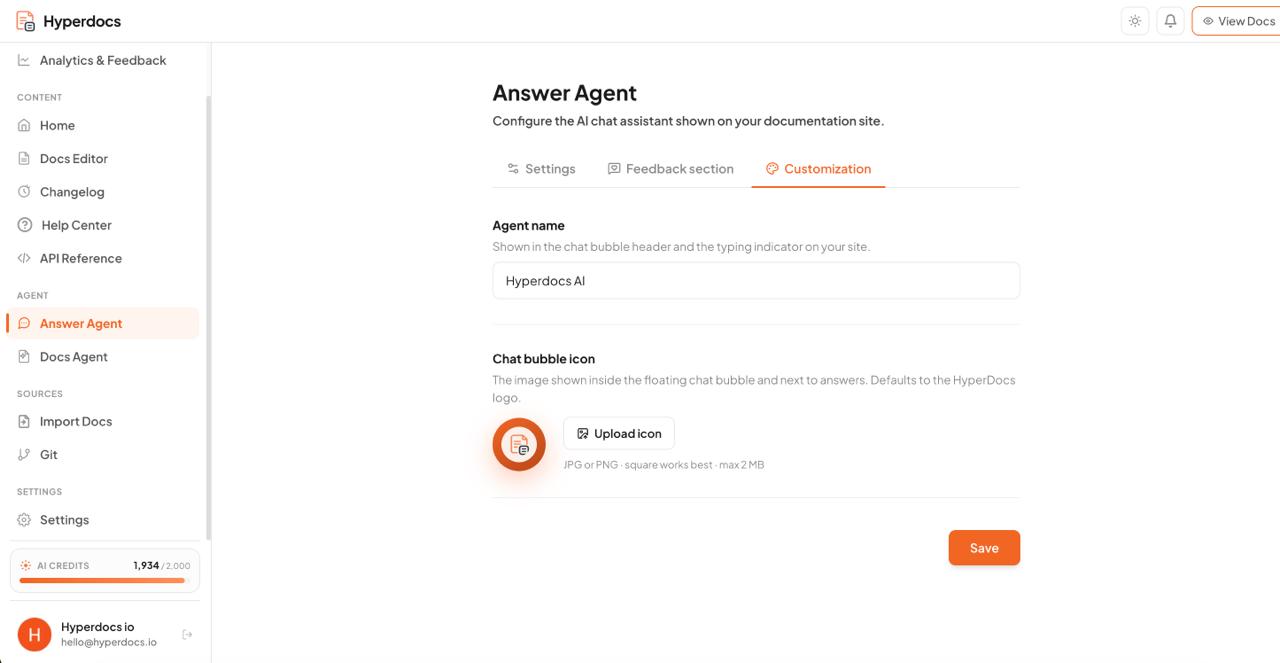
Your logo. Your name. Your brand.
Upload your product logo and set an agent name. Use the same recognizable identity across your docs, website, and product.
- Upload your own widget logo
- Set a custom agent name (e.g. "Aria", "HelpBot", "Support")
- Matches your documentation brand colors automatically
- Widget branding options follow your plan
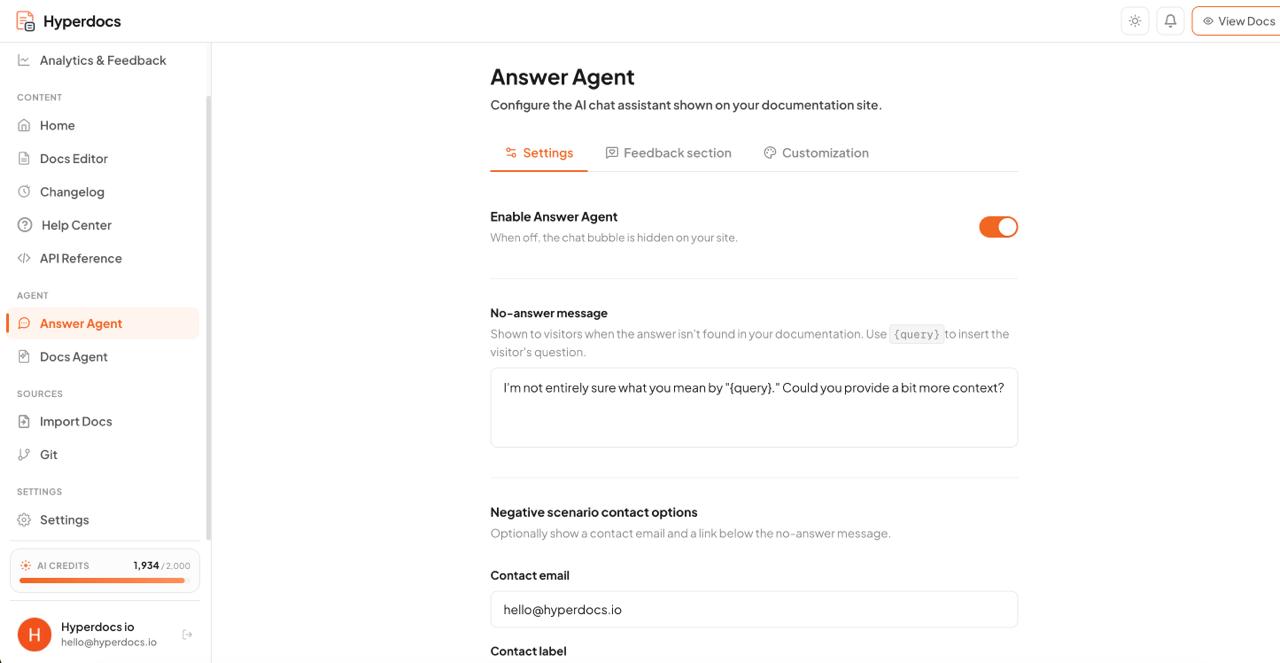
Give unanswered questions a next step.
Set a message for questions your documentation does not cover. Include a contact email or a link so customers know where to ask for more help.
- Write your own fallback message
- Include your support email directly
- Configurable fallback when a source answer is unavailable
- Link to the support resource you choose
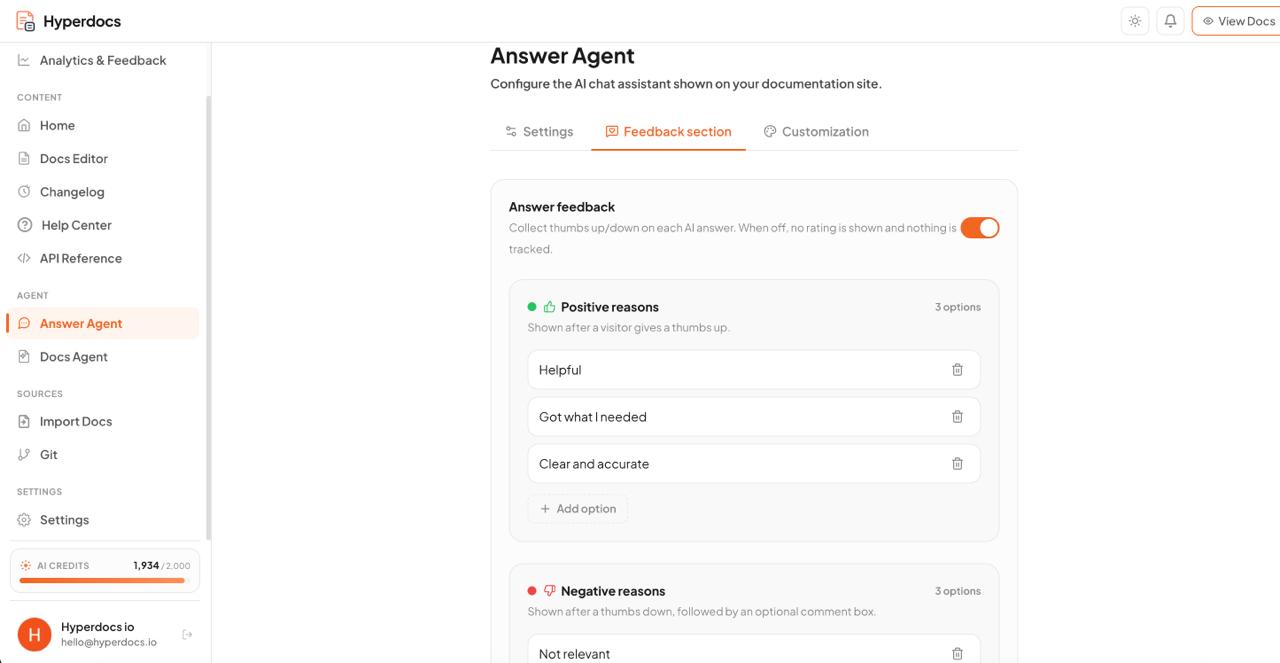
Find the explanations your users still need.
Turn on feedback to let users rate an answer. Review their responses to decide which published guides need an update.
- Enable thumbs-up and thumbs-down ratings
- Same feedback system as your doc pages
- Identify documentation gaps before they become support tickets
- Prioritize doc improvements based on real user signals
Choose a placement. Add your domains. Copy the script.
In Answer Agent, open the Widget tab and choose the website or product embed. Enable it, add the hostnames where it can load, save your settings, and paste the generated script into your site or app.
- Website: choose a chat bubble or floating search bar
- Product: add a chat bubble inside your SaaS app
- Admins can enable each embed and set allowed domains
- Copy the script from Answer Agent → Widget in your workspace
See the cost of repeat questions.
Answer Agent helps customers work through questions and follow-ups in one chat, while your team handles cases that need a person.
Estimate how many tickets search and Answer Agent could handle, then compare the remaining support cost with today's human support cost.
Estimate your support savings Your inputs shape the estimate. Fewer tickets do not automatically reduce payroll.Give everyday questions a place to go.
Explore Answer Agent with the credits included in your plan. Check the pricing page for current allowances and ongoing usage.
Answer Agent handles all kinds of questions
Cover the questions customers ask about setup, billing, integrations, and product settings in your published documentation.
Setup & Installation
"How do I install the Hyperdocs SDK in my React project?" or "How do I configure the API token?"
Troubleshooting
"Why am I getting a 403 Forbidden error?" or "Why does my sync fail with GitBook?"
Billing & Pricing
"How do I upgrade to the Pro plan?" or "Do you offer discounts for open-source projects?"
API & Webhooks
"How do I set up a webhook receiver?" or "What are the headers required for authentication?"
Account Settings
"How do I invite my team members?" or "Where do I configure my custom domain?"
Product Features
"Does Hyperdocs support search indexing?" or "Can I export my docs to PDF?"
Custom Domains
"How do I set up my custom domain?" or "How do I configure DNS records for Cloudflare?"
Choose the widget that fits the page.
Each external embed has its own settings. Both use the content you publish in Hyperdocs.
Questions about Answer Agent
What is Answer Agent?
Answer Agent is a chat assistant that responds using your published Hyperdocs documentation. It appears on your docs site, and you can also embed a widget on your website or inside your SaaS product.
What is the difference between website and product embeds?
The website widget offers a chat bubble or floating search bar. The product embed offers a chat bubble inside your application. They have separate enable settings, keys, and allowed-domain lists, and both answer from your published Hyperdocs documentation.
How does Answer Agent handle a question the docs do not cover?
If Answer Agent cannot find a relevant answer, it shows your configured fallback message. Add a contact email or link to help users reach your team. Review feedback and keep the published source content current to improve responses.
Can I embed Answer Agent inside my own SaaS product?
Yes. Enable the Product embed in Answer Agent → Widget, add your application domain, and paste the generated script into your app. It shows a chat bubble that answers from your published Hyperdocs documentation. See the product embed guide.
Can I add Answer Agent to my website?
Yes. The Website widget can appear as a chat bubble or a floating search bar. Enable it in Answer Agent → Widget, add your allowed domains, and paste the generated script on your site. See the website embed guide.
What documentation does Answer Agent use?
Answer Agent uses the documentation published in your Hyperdocs workspace. Product guides, help articles, API references, and changelogs provide the context for answers across all three placements.
Does Answer Agent cost extra?
Answer Agent is included in Hyperdocs and uses the credits available in your plan. See the pricing page for current allowances and branding options.
Can I customize how Answer Agent looks and responds?
Yes. You can set a custom logo, a custom agent name, and a custom fallback message for when Answer Agent cannot find an answer in your docs. This makes it look and feel like part of your product rather than a third-party tool.
Does Answer Agent work without Hyperdocs?
Answer Agent needs published content in a Hyperdocs workspace. You can show the widget on your own website or in your product while keeping the documentation in Hyperdocs.
How do we keep answers current as our product changes?
Keep your published documentation aligned with your product. Use manual edits or review suggested changes from GitHub Sync, then publish the update so Answer Agent can use the current content.
Bring answers closer to your users.
Let people ask questions from your published docs, your website, or inside your product. Set up each embed in your workspace and give users a path to your team when they need it.